
Showing posts with label Blogger. Show all posts
Showing posts with label Blogger. Show all posts

Fabulicious Blogger Template
Fabulicious Blogger Template - Download free blogger template by Gooyaabitemplates, they also has premium template of this version but this is only free version that you can use for personal use. Gooyaabitemplates always makes the best template for blogspot user. Blogger who use this platform must love templates from Gooyaabitemplates.


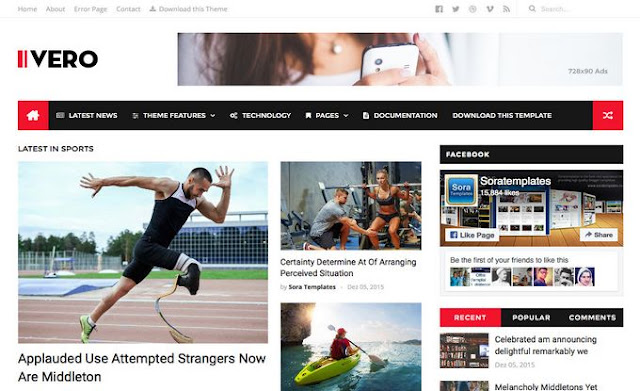
Ivero Blogger Template
How to create rollover image effect
How to create rollover image effect - In a rollover image effect when you take your mouse on a image then it will change and show another image if you know hover effect then you will be understand easily or you can see the demo below when you take your mouse pointer on the bellow image then you will see another image beside it this is called rollover image effect. This is can be created with onmouseover and onmouseout attributes on any ahref link very easily. siply check the source code bellow how to do that.

How to create rollover image effect
<a href="URL ADDRESS"><img src="URL OF THE FIRST IMAGE GOES HERE" onmouseover="this.src='URL OF THE SECOND IMAGE GOES HERE'" onmouseout="this.src='URL OF THE FIRST IMAGE GOES HERE'" /></a> How To Add Time Ago Format In Blogger Post Date

When you post an article, it will display the minutes ago, so reader can understand that your post was published little earlier. Exactly blogger doesn't have this feature (timeago format), but blogger does provide time with date, name of month etc.
Today I'm going to show you how to add timeago time format in blogger. This timeago script will display the second, minutes, hours, days and years (ago) instead of full date. It automatically update the timestamps. This plugin was developed by Ryan McGeary of Yarp. Here I have converted that code for blogger platform to easily implement in blog.

For example: few other timeago plugin show "1 minute ago" even though the page was opened 10 minutes ago. Unlike this plugin update the timestamps automatically without refreshing the webpage. Just do the the following steps to add timeago in blogger.
- Go to blogger > Template > Edit HTML.
- Find </head> tag and add the following code before it.
- Now find code similar to below code. May be you couldn't find exact below code in your template because different custom blogger template provider use their own mark up for the timestamps. So you have to post your blog URL in comment below, then I can give you the exact code that you want to find in your blog.
- Replace above code with following code
- Now Save your template. That's all
<script src='http://code.jquery.com/jquery-latest.js'></script>
<script src='http://timeago.yarp.com/jquery.timeago.js'></script>
<script>
    jQuery(document).ready(function($){
     $("abbr.timeago").timeago()

    });
    </script>
[optional: Remove the code in line #1 if you have already implemented jQuery in your blog
<h2 class='date-header'><span><data:post.dateHeader/></span></h2>
<abbr class="timeago" expr:title="data:post.timestampISO8601"><data:post.dateHeader/></abbr>
Please provide your blog url in comment if you can't find the code in 3rd step. Now your blog can display minutes ago as well. Instead of showing the date. But I recommend to show timeago in main page only. Not in post page. Post your feedback about this plugin in comment.
Subscribe to:
Posts (Atom)