
Showing posts with label Blogger. Show all posts
Showing posts with label Blogger. Show all posts
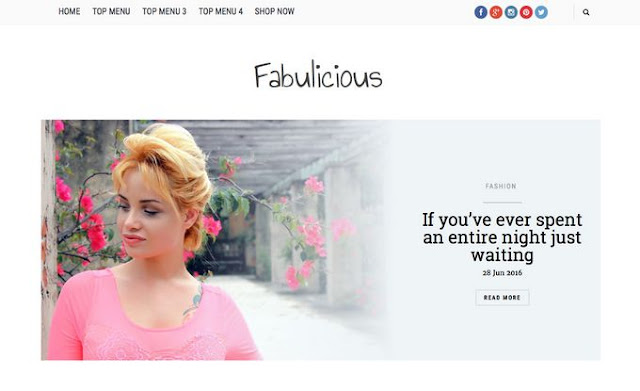
Fabulicious Blogger Template
Fabulicious Blogger Template - Download free blogger template by Gooyaabitemplates, they also has premium template of this version but this is only free version that you can use for personal use. Gooyaabitemplates always makes the best template for blogspot user. Blogger who use this platform must love templates from Gooyaabitemplates.

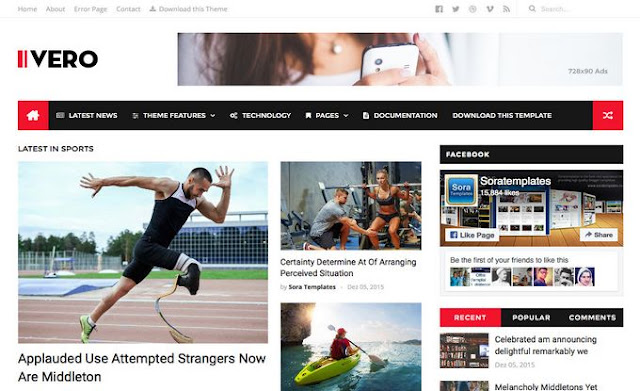
Ivero Blogger Template
How to create rollover image effect
How to create rollover image effect - In a rollover image effect when you take your mouse on a image then it will change and show another image if you know hover effect then you will be understand easily or you can see the demo below when you take your mouse pointer on the bellow image then you will see another image beside it this is called rollover image effect. This is can be created with onmouseover and onmouseout attributes on any ahref link very easily. siply check the source code bellow how to do that.

How to create rollover image effect
<a href="URL ADDRESS"><img src="URL OF THE FIRST IMAGE GOES HERE" onmouseover="this.src='URL OF THE SECOND IMAGE GOES HERE'" onmouseout="this.src='URL OF THE FIRST IMAGE GOES HERE'" /></a> How To Add Time Ago Format In Blogger Post Date

When you post an article, it will display the minutes ago, so reader can understand that your post was published little earlier. Exactly blogger doesn't have this feature (timeago format), but blogger does provide time with date, name of month etc.
Today I'm going to show you how to add timeago time format in blogger. This timeago script will display the second, minutes, hours, days and years (ago) instead of full date. It automatically update the timestamps. This plugin was developed by Ryan McGeary of Yarp. Here I have converted that code for blogger platform to easily implement in blog.

For example: few other timeago plugin show "1 minute ago" even though the page was opened 10 minutes ago. Unlike this plugin update the timestamps automatically without refreshing the webpage. Just do the the following steps to add timeago in blogger.
- Go to blogger > Template > Edit HTML.
- Find </head> tag and add the following code before it.
- Now find code similar to below code. May be you couldn't find exact below code in your template because different custom blogger template provider use their own mark up for the timestamps. So you have to post your blog URL in comment below, then I can give you the exact code that you want to find in your blog.
- Replace above code with following code
- Now Save your template. That's all
<script src='http://code.jquery.com/jquery-latest.js'></script>
<script src='http://timeago.yarp.com/jquery.timeago.js'></script>
<script>
    jQuery(document).ready(function($){
     $("abbr.timeago").timeago()

    });
    </script>
[optional: Remove the code in line #1 if you have already implemented jQuery in your blog
<h2 class='date-header'><span><data:post.dateHeader/></span></h2>
<abbr class="timeago" expr:title="data:post.timestampISO8601"><data:post.dateHeader/></abbr>
Please provide your blog url in comment if you can't find the code in 3rd step. Now your blog can display minutes ago as well. Instead of showing the date. But I recommend to show timeago in main page only. Not in post page. Post your feedback about this plugin in comment.
Vienna Mag Responsive Magazine Blogger Template

Vienna Mag Responsive Magazine Blogger Template - is free responsive magazine blogger template that was designed by Arlina Design. By using this template, you should made easily an awesome magazine blog site like professional. Vienna Mag is free version blogger template. Download Vienna Mag responsive blogger template and made newspaper or magazine blogger site.
Author's Descriptions: Back again Arlina Design share a free template for bloggers, this template I named Vienna Mag.
Yes, Vienna mag is a magazine template to two Arlina Design've shared
here. This template is suitable for my friend blogger users, especially
for niche blogs that share the article with some categories or commonly
referred to as blogs hodgepodge. For this template feature supports the
view Responsive, SEO Friendly and much more.
| Features | Availability |
|---|---|
| Responsive | True Cek |
| SEO Friendly | True Cek |
| Google Testing Tool Validator | True Cek |
| Mobile Friendly | True Cek |
| Dynamic Heading | True |
| Personal Magazine | True |
| 2 Column Style | True |
| 3 Column Footer | True |
| Google Friendly | True |
| Carousel Slider | True |
| News Ticker | True |
| Featured Posts | True |
| Recent Post by Label | True |
| Custom Threaded Comment | True |
| Responsive Ad Slot | True |
| Light Base Theme Color | True |
| Minimalist | True |
| Breadcrumbs | True |
| Top Navigation | True |
| Responsive Dropdown Menu | True |
| Light Base Theme Color | True |
| Related Posts with Thumb | True |
| Search Box | True |
| Social Share Button | True |
| Smooth Scroll back To Top | True |
| Custom Subscribe Box Widget | True |
| Custom Contact Form Widget | True |
| Custom Sitemap Widget | True |
| Multi Author Box | True |
| More SEO and Responsive | Pro Only |
| 3 Style (Box, Full Width, Frame) | Pro Only |
| No Encrypted Code | Pro Only |
| Well Documentation | True |
Modified Blogger Label Cloud Style

What is Label in blogger ?
Label (Categories) are keywords that categorizes your complete blog
content. Labels are mostly based on general and specific keywords of
your content. It allow the designers to create their own style. Since
the stylesheet was made approachable, thereby all of us got a chance to
play with these widgets and transform them to different in look and
appearance.
Here i'm going to give you four different style which you can modify your Label Cloud, and warning that you must have added label cloud widget to your blogger blog.
Here i'm going to give you four different style which you can modify your Label Cloud, and warning that you must have added label cloud widget to your blogger blog.
How To Add Label Cloud Widget In BLogger
1. Go to Blogger > Layout > Add a Gadget > and click Label.
2. Click Mark some property shown below and Save it.

How To Add CSS Code to Blogger
Now is the time for making awesome look of you blogger label cloud widget. So add one of the following style to your blog.
1. Go to Blogger > Template > Click Edit HTML.
2. Find ]]></b:skin> ( by Ctrl+F) and add one of the following style before it.
Label Style #1

.label-size a {
text-transform: uppercase;
float: left;
text-decoration: none;
margin: 0 3px 6px 0;
padding: 3px;
border: solid 1px #999;
border-radius: 3px;
font-size: 12px;
-moz-transition: all 0.3s ease-out;
-o-transition: all 0.3s ease-out;
-webkit-transition: all 0.3s ease-out;
-ms-transition: all 0.3s ease-out;
transition: all 0.3s ease-out;
}
.label-size a:hover {
border: 1px solid black;
-webkit-transform: rotate(360deg) scale(1) skew(1deg) translate(0px);
-moz-transform: rotate(360deg) scale(1) skew(1deg) translate(0px);
-ms-transform: rotate(360deg) scale(1) skew(1deg) translate(0px);
-o-transform: rotate(360deg) scale(1) skew(1deg) translate(0px);
}
Label Style #2

.label-size a {
text-transform: uppercase;
float: left;
text-decoration: none;
margin: 2px 3px 6px 0;
padding: 3px;
border: solid 1px #999;
border-radius: 3px;
font-size: 12px;
-moz-transition: all 0.3s ease-out;
-o-transition: all 0.3s ease-out;
-webkit-transition: all 0.3s ease-out;
-ms-transition: all 0.3s ease-out;
transition: all 0.3s ease-out;
-webkit-transform: rotate(10deg) scale(1) skew(5deg) translate(0px);
-moz-transform: rotate(10deg) scale(1) skew(5deg) translate(0px);
-ms-transform: rotate(10deg) scale(1) skew(5deg) translate(0px);
-o-transform: rotate(10deg) scale(1) skew(5deg) translate(0px);
}
.label-size a:hover {
border: 1px solid black;
-webkit-transform: rotate(0deg) scale(1.2) skew(5deg) translate(0px);
-moz-transform: rotate(0deg) scale(1.2) skew(5deg) translate(0px);
-ms-transform: rotate(0deg) scale(1.2) skew(5deg) translate(0px);
-o-transform: rotate(0deg) scale(1.2) skew(5deg) translate(0px);
}
Label Style #3

.label-size a {
text-transform: uppercase;
float: left;
text-decoration: none;
margin: 2px 3px 6px 0;
padding: 3px;
border: solid 1px #999;
border-radius: 3px;
font-size: 12px;
-moz-transition: all 0.3s ease-out;
-o-transition: all 0.3s ease-out;
-webkit-transition: all 0.3s ease-out;
-ms-transition: all 0.3s ease-out;
transition: all 0.3s ease-out;
}
.label-size a:hover {
border: 1px solid black;
-webkit-transform: rotate(0deg) scale(1.2) skew(5deg) translate(0px);
-moz-transform: rotate(0deg) scale(1.2) skew(5deg) translate(0px);
-ms-transform: rotate(0deg) scale(1.2) skew(5deg) translate(0px);
-o-transform: rotate(0deg) scale(1.2) skew(5deg) translate(0px);
}
Label Style #4

.label-size a {
text-transform: uppercase;
float: left;
text-decoration: none;
margin: 2px 3px 6px 0;
padding: 3px;
border: solid 1px #999;
border-radius: 3px;
font-size: 12px;
-moz-transition: all 0.3s ease-out;
-o-transition: all 0.3s ease-out;
-webkit-transition: all 0.3s ease-out;
-ms-transition: all 0.3s ease-out;
transition: all 0.3s ease-out;
-webkit-transform:rotate(0deg) scale(1) skew(-15deg) translate(0px);
-moz-transform: rotate(0deg) scale(1) skew(-15deg) translate(0px);
-ms-transform: rotate(0deg) scale(1) skew(-15deg) translate(0px);
-o-transform: rotate(0deg) scale(1) skew(-15deg) translate(0px);
}
.label-size a:hover {
border: 1px solid black;
-webkit-transform: rotate(0deg) scale(1) skew(15deg) translate(0px);
-moz-transform: rotate(0deg) scale(1) skew(15deg) translate(0px);
-ms-transform: rotate(0deg) scale(1) skew(15deg) translate(0px);
-o-transform: rotate(0deg) scale(1) skew(15deg) translate(0px);
}
If you have got any trouble regarding this tutorial, you can comment it below.
Limitation of Blogpost blog - Complete list

Limitation of Blogpost blog Complete list - Today i am share a list of Blogspot blogger limits. We know, blogspot is free blogging flatform. Blogspot give us some awesome features for free. But not enough. Google Blogger try
to give us a lot of room to play here on Blogger, so you'll see that a
lot of the important "limits" here aren't really very limiting. But just
in case you were wondering, here is some information about what a
single Blogger account will hold.
1. Limitation Blogger Account
- Total Blogs: 100 per account
- Long info "about me" (on account profile page blogger): 1200 characters
- Info Hobbies and passions length: 2000 characters
- Blog which were followed maximum amount per account: 300 Blog
- The width of the image was uploaded through the post editor: 1600px maximum. That broader picture can still be uploaded but then automatically resize (scaled down) to 1600px
- The width of the image that was uploaded through the Template Designer (background): No restrictions
- Pictures by heavy file size:
- Images are uploaded through the post editor: 8 MB
- Images are uploaded through the Template Designer (background): 300 Kb
- Pictures uploaded via mobile devices: 250 Kb
- Image hosting capacity (in Blogger through a partnership with Picasa Web Albums): 4 GB per account.
- Bandwidth hosting images: No restrictions.
2. Limitation Blog
- Length of title / name of the blog: 90 characters
- Long subdomain name (subdomain.blogspot.com): 37 characters
- Long blog description (the description on the header): 500 characters
- The number of members per blog: 100 people
- The number of blog readers (for personal blogs): 100 people
- Number of posts: No restrictions.
- Number of posts displayed on pages list posting (homepage, label, archive) is determined by the choices on Settings> Formatting> Show at most. If the chosen day (day), then the maximum limit on a single page display is 1 MB.
- Number of labels: 5000 pieces per blog unique label
3. Limitation Post
- The length of each post: No restrictions
- Weight file for each post: There is no limit, however, as already mentioned above, the file post more than 1 MB may cause parts above 1 MB is displayed on the next page (multiple pages for one post).
- The number of labels per post: 20 unique label.
- Number of comments per post: No restrictions
- Posting the file name length (file name on the back post url): 39 characters
Source: MS Design
Subscribe to:
Posts (Atom)